What actually
arrives
The notification, delivered at 7:15 AM, no one asked
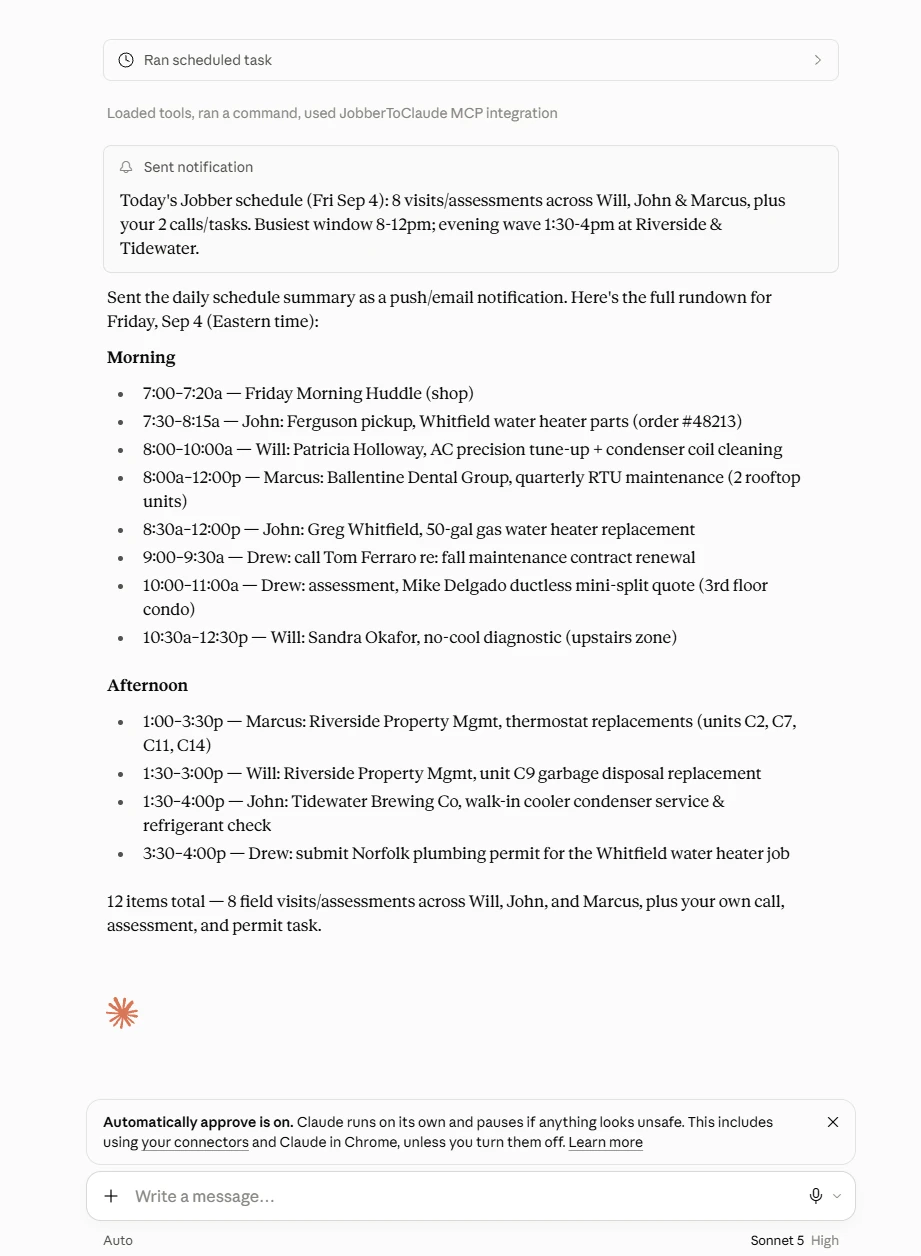
“Today's Jobber schedule (Fri Sep 4): 8 visits/assessments across Will, John & Marcus, plus your 2 calls/tasks. Busiest window 8-12pm; evening wave 1:30-4pm at Riverside & Tidewater.”
That is the short version, pushed to your phone. The full breakdown, morning and afternoon, tech by tech, waits in the task's thread:
Start to finish,
about a minute
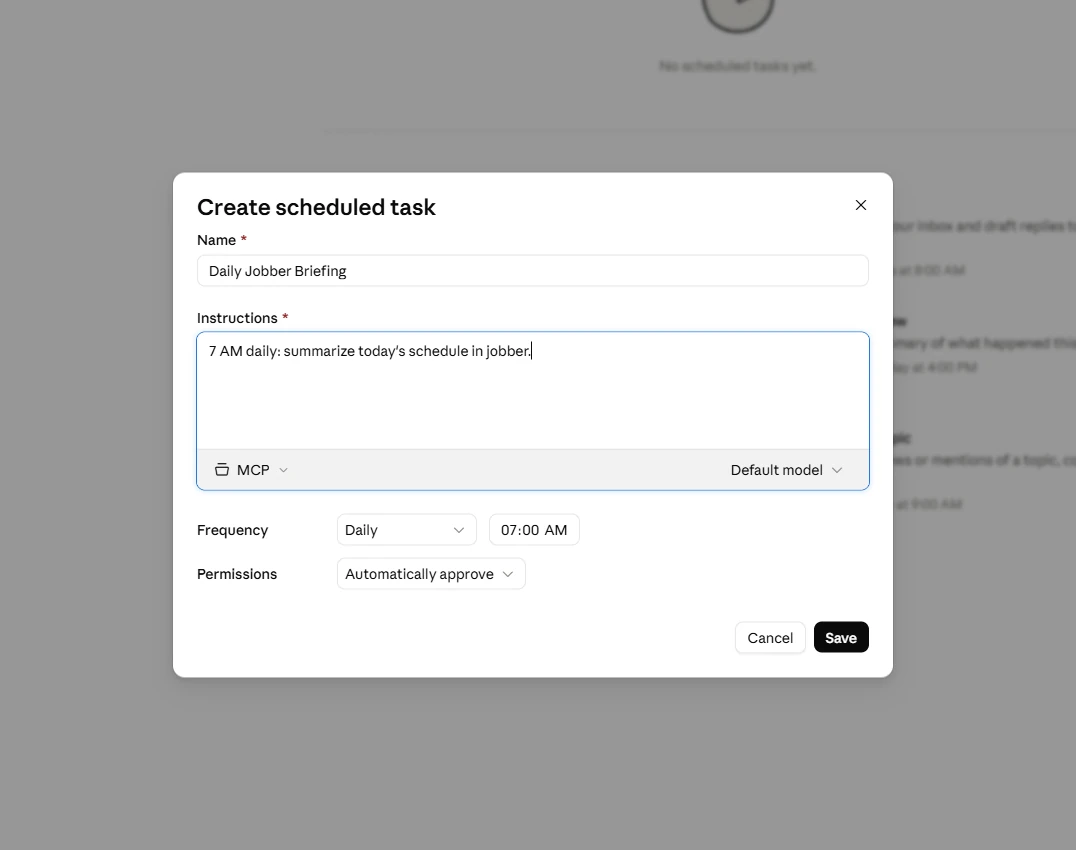
- In Claude, open Scheduled in the sidebar and click New task. Name it Daily Jobber Briefing.
- Paste these instructions:
Task instructions
Summarize today's schedule in Jobber: every visit and assessment with times, assigned team members, and clients. Call out the busiest window and anything unassigned. Send it as a notification.
- Make sure the task uses the project or connector setup where your JobberToClaude connector lives.
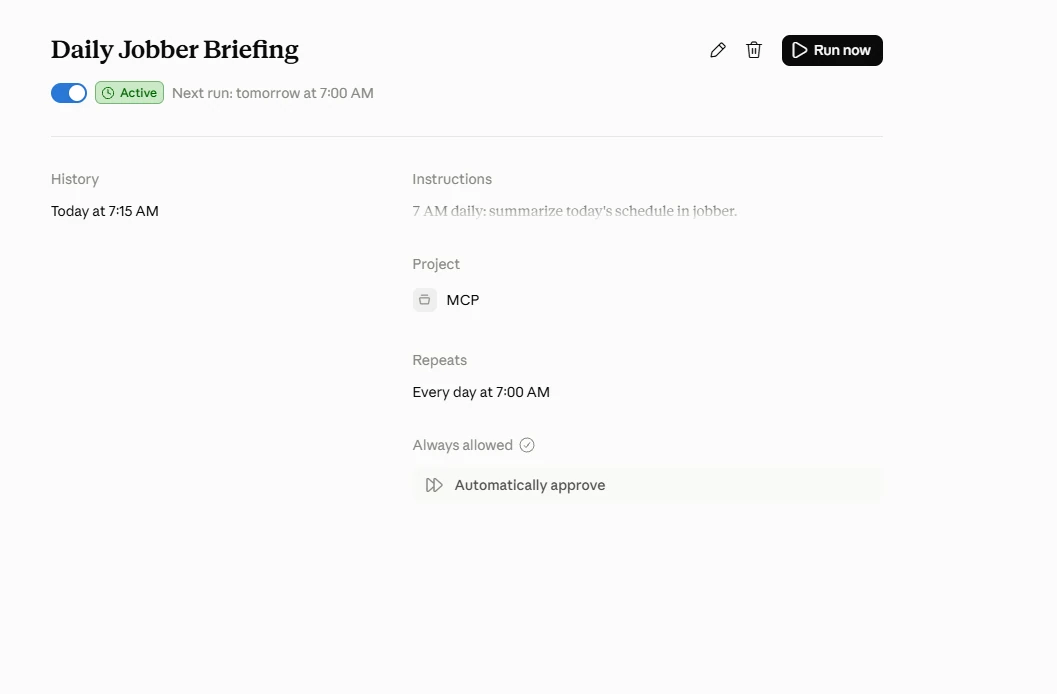
- Set the frequency to Daily, pick the time your morning starts, choose your permissions setting, and save.
Make it
yours
The instructions are plain English, so variations are one edit away. A few that owners actually use: add “flag any visit where the client has an unpaid invoice” so the tech knows before knocking. Add “include yesterday's completed jobs that have no invoice yet” and the briefing doubles as a billing nudge. Or run it weekdays only, since Saturday can wait for coffee.
This recipe only reads your account. If you want the deeper scheduling work, moving visits, covering a sick day, assigning crews, that is the conversational side: AI scheduling for Jobber.
Tomorrow morning could
start like this
JobberToClaude is $47/month after a 7-day free trial: your own private connector, every capability, and recipes like this one running on your schedule. Setup takes about 5 minutes.
More recipes: Jobber Automations
Frequently asked
questions
What time should I schedule it?
Whenever your day starts. Ours ran at 7 AM and the notification landed a few minutes after. If your crew loads trucks at 6:30, set it for 6. The exact minute can drift slightly, so give yourself a small buffer rather than timing it to the second.
Does it change anything in Jobber?
No. This recipe only reads. It looks at today's visits, assessments, and tasks, writes the summary, and sends it to you. Nothing is created, moved, or messaged.
Where does the briefing show up?
The short version arrives as a notification (push or email depending on your Claude settings), and the full breakdown waits in the task's chat thread, morning by morning, so you can scroll back through the week.
Can I change what it includes?
Yes, it is just plain English. Add 'include drive distances between stops' or 'flag any visit without notes for the tech' to the instructions and tomorrow's briefing reflects it. No rebuild, no flowchart.
Do I need a certain Claude plan?
Scheduled tasks are part of Claude's paid plans (Pro, Max, Team, and Enterprise), and the feature is in beta as of September 2026. You also need your JobberToClaude connector on the account, which is what gives the task your live schedule.